
Onsite Event Support: What It Is, Why You Need It
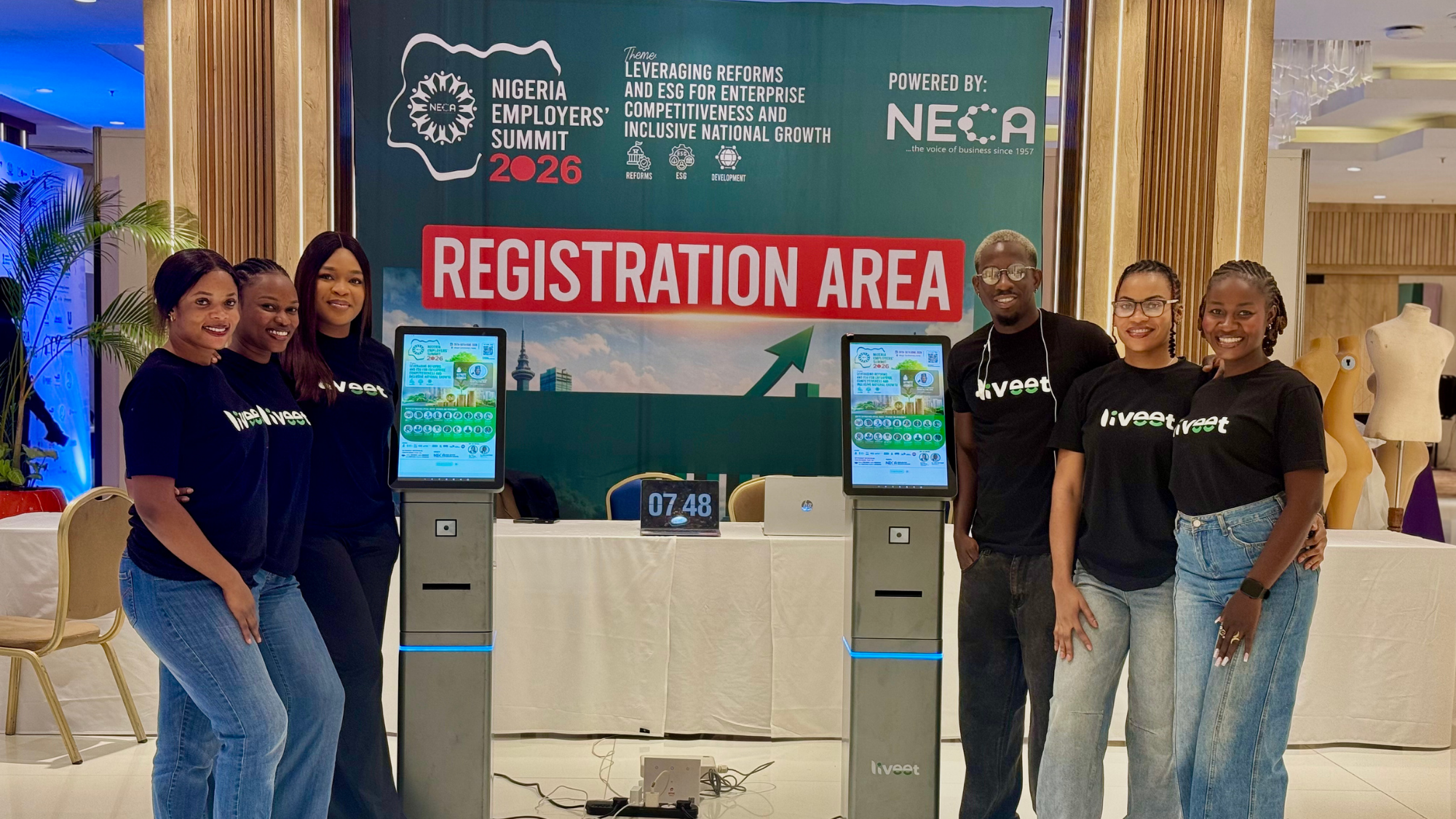
Most conversations about event technology stop at everything that happens before the doors open: the registration platform, the invite list, the run of show, the ticketing flow. Onsite event support is what happens when all of that planning meets the physical venue, and it decides whether an event actually feels premium or falls apart in the first ten minutes. It is the small, unglamorous window when your guests arrive and need to become guests inside the room, not names on a spreadsheet standing outside it, and it is where a surprising number of otherwise well-planned events quietly come undone.
What is onsite event support?
Onsite event support is the team and hardware physically present at your venue to handle everything that happens the moment a guest steps out of their car. Check-in. Badge or wristband printing. Scanning. Directing people into the right hall, the right session, the right tier of access. It sits apart from your registration platform, which handles sign-ups and invites in the weeks before the event, and it picks up exactly where that leaves off. Put simply, registration gets people onto the guest list, onsite event support gets them through the door.
For a small, intimate gathering, this might be one capable person with a laptop and a printed list, and that is genuinely fine. But for a conference, a summit, an AGM, or a distributor event pulling in guests from multiple cities, onsite support means dedicated kiosks, trained staff, scanners and printers, all working together, because the margin for error shrinks fast once you are dealing with hundreds of people arriving in the same half hour.
Why do you need onsite event support?
Here is what tends to happen without it, and most people who have organised an event of any real size will recognise this immediately. In our experience, manual conference check-in can take several minutes per attendee once you account for searching a list by name, confirming identity, and printing or writing out a badge by hand. That sounds manageable in isolation. It stops being manageable the moment three hundred guests arrive in the same thirty-minute window, as buses pull in back to back and a queue starts stretching toward the car park before your programme has technically begun.
That queue is not a small operational footnote you apologise for afterward. For a meaningful share of your guests, it is the actual first experience of your event, ahead of the keynote, ahead of the welcome remarks, ahead of anything you spent months designing. If that first experience is a slow, disorganised scramble at a folding table, it colours everything that follows, including for the sponsors, distributors and senior executives whose impression of your brand you can least afford to get wrong.
The stakes only grow as the event grows. A multi-day conference with breakout sessions needs a reliable way to know who has already checked in on which day, without making returning guests queue all over again. An event with tiered tickets, general admission, VIP, speaker access, needs those boundaries enforced automatically, because a person eyeballing wristbands at a door will eventually miss one. None of this is solvable with good intentions and a laminated seating chart.
What are the benefits of onsite event support?
Done well, onsite support earns its place in the budget in ways that show up immediately, and ways that compound over the life of your event brand. The most obvious is speed: guests move from car park to seat in seconds rather than minutes, so a queue never gets the chance to form. Close behind it is security, since access is verified and enforced right at the point of entry instead of being left to whoever happens to be standing near the door. There is a genuine, if harder to measure, benefit to guest experience too. A calm, fast, organised arrival tells your guests something about the rest of the day before a single word of programming has happened. And there is a quieter benefit for you as the organiser: with a dedicated team owning that entrance, you and your staff are free to actually host, instead of firefighting at the gate while your guests wait.
Enter: Liveet Kiosks
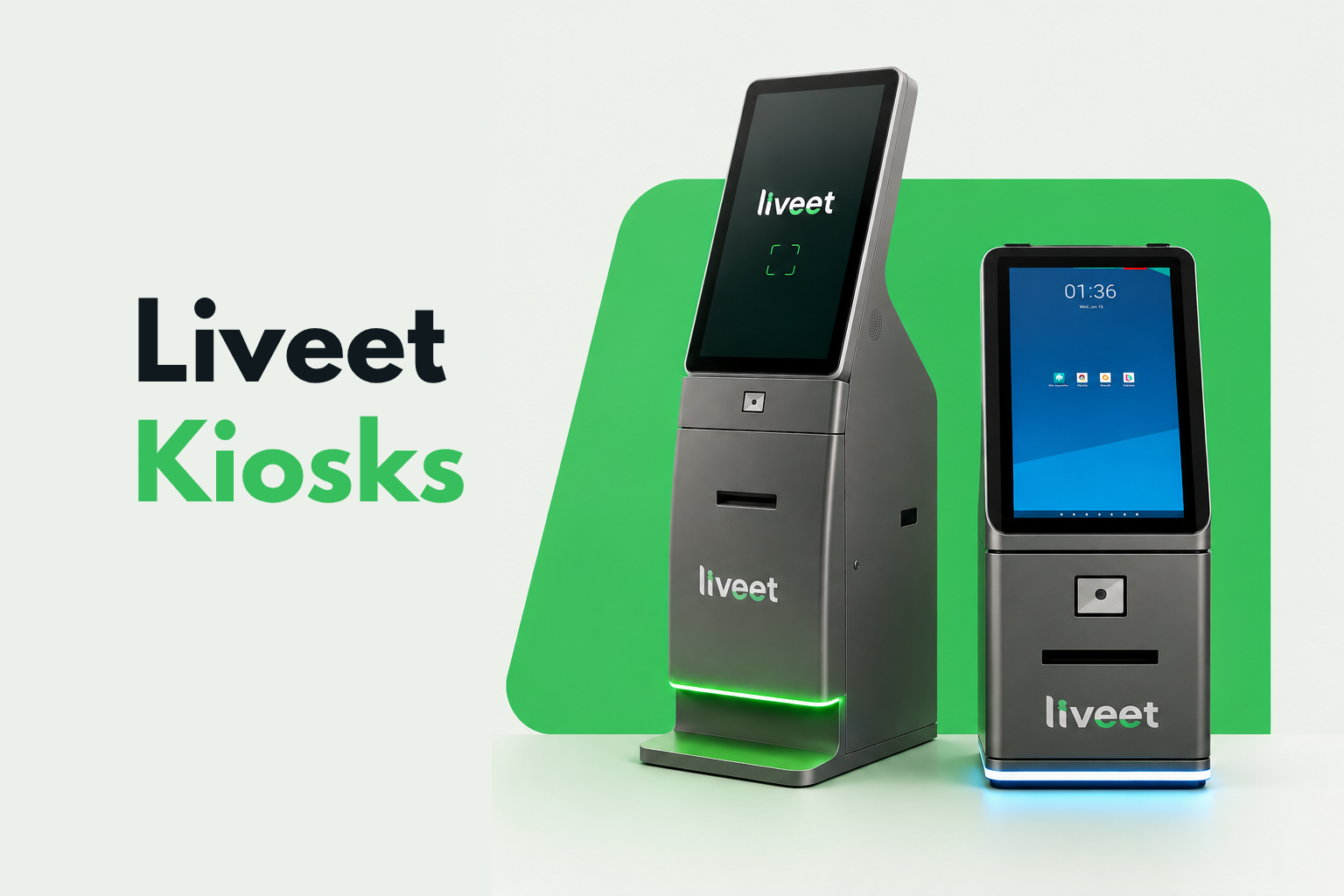
This is exactly the gap the Liveet Kiosk was built to close.
On event day, a guest arrives with the digital access pass - a QR code sent to their phone or email in the days before. They step up to the kiosk, our onsite team scans the code, and an access badge or lanyard prints and is handed over. Liveet's kiosk can complete check-in and badge printing in under five seconds per guest, start to finish.
That speed is not a one-off trick, it is the product of a few specific pieces working together consistently, even under sustained, back-to-back traffic. Flash Printing handles instant accreditation and badge printing in around four seconds. Attendance Mode keeps track of multi-day events and breakout sessions, so a guest returning on day two does not have to go through full check-in again. Smart Access Control recognises ticket classes and enforces tiered access automatically, quietly making sure a general admission pass never opens a VIP door. And Multi-Event Layering handles simultaneous sessions or sub-events running under one roof, without the entry point for one bleeding into confusion for another.
None of this runs on borrowed equipment. The face scanners and wristband kiosks deployed at your event are Liveet hardware, ours to own, maintain, and deploy across hundreds of events a year. Practically, that means there is no third-party vendor for you to chase down if something misfires on the day. We built it, we run it, and we own the outcome, end to end.
What happens when a guest can't find their invite?
This is the question every organiser eventually asks, and we built for it deliberately rather than treating it as an edge case. If a guest reaches out before the event to say they have lost their access link, our team looks it up immediately and shares it with you to forward on. If a guest arrives at the venue without a pass in hand, they simply step up to the check-in booth, where our team pulls their details on the spot and sends the access link straight to their phone. No legitimate guest is left stranded at the gate over a lost email, and no organiser has to step away from hosting to go solve it themselves.
Earlier this year, we put all of this to work for Flour Mills Nigeria (FMN), handling registration and onsite check-in for their sales and distributor conferences across three cities. These conferences bring together senior leadership, regional sales teams and distributor networks who arrive expecting a premium, well-run experience, and it is exactly the kind of event this whole piece has been describing.
FMN's conferences sit inside that much longer track record. Across hundreds of events a year, the Liveet Kiosk has verified more than 200,000 guests without a reported security failure at the gate, at events attended by presidents, CEOs, ambassadors and global executives who do not get a second chance at a good first impression. We have also handled check-in for gatherings as large as 5,000 guests in a single day, so whatever the scale of your next conference, it is unlikely to be new ground for us.
What onsite event support means for your next event
If you are planning a sales conference, an AGM, a summit, or any gathering where check-in speed and access control genuinely matter, onsite support is not a line item you trim to save cost. It is the difference between your guest's first impression working in your favour or quietly working against you before the day has properly begun. The Liveet Kiosk exists to make sure it is the former, every single time.
Frequently asked questions
1. What is onsite event support?
Onsite event support is the team and hardware present at your venue on event day to handle check-in, badge or wristband printing, guest verification, scanning and access control. It picks up where your registration platform leaves off, making sure the guest experience runs smoothly from arrival to entry.
2. What does an onsite event support team do?
An onsite event support team manages the entrance and other event-day processes that require hands-on assistance. This can include verifying guests, checking tickets or invitations, printing badges or lanyards, enforcing ticket tiers and access levels, and resolving issues such as lost invitations or incorrect registration details on the spot.
3. What equipment is needed for onsite event check-in?
The equipment needed depends on the size and complexity of the event. At a minimum, organisers need a way to verify guests against a registration list and issue credentials. At conference scale, this typically includes check-in kiosks, scanners, badge printers and other equipment for printing or issuing event credentials quickly.
4. How does onsite event support improve event check-in?
Onsite event support replaces manual list searches and handwritten credentials with automated guest verification, scanning and instant badge or wristband printing. This can reduce check-in from several minutes per guest to seconds in many cases, while access rules can be enforced automatically rather than relying on staff to identify mistakes manually.
5. Do I need onsite event support if I already have an event registration platform?
Not necessarily, but registration software and onsite event support solve different parts of the event journey. A registration platform manages the digital side of registration, while onsite support handles what happens at the venue, including guest verification, check-in, credential printing, access control and resolving issues at the entrance. For larger or more complex events, onsite support helps ensure the registration process works smoothly on event day.
6. How much does onsite event support cost?
Pricing depends on factors such as guest volume, event duration, number of entry points, equipment required and access-control complexity. Contact the Liveet team for a quote tailored to your event.